
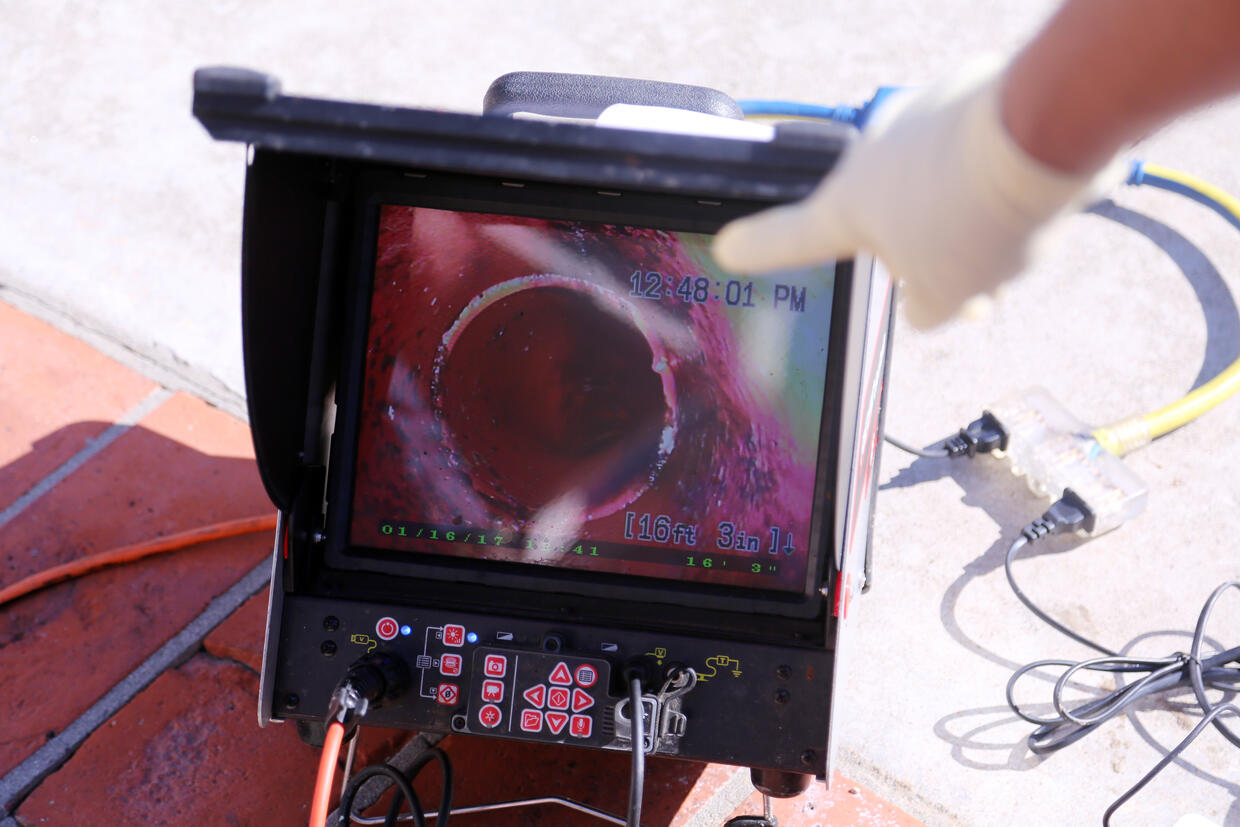
Inspection cameras are invaluable tools for diagnosing problems in hard-to-reach areas. Whether you’re dealing with plumbing blockages, HVAC maintenance, or equipment inspections, these devices provide a clear visual of places you couldn’t otherwise access.
At USA Borescopes, we supply professionals and homeowners with advanced inspection tools designed to make these tasks faster, safer, and more accurate. If you’ve ever wondered how to use inspection camera equipment effectively, below we’ll walk you through the process step by step.
Why Use an Inspection Camera?
An inspection camera (also called a borescope or sewer camera) lets you see inside pipes, engines, walls, and other hidden spaces. Instead of guessing where a blockage, crack, or defect might be, you can pinpoint the issue with real-time video or captured images.
Key benefits include:
- Accuracy: Identify the exact location of a problem
- Time Savings: Minimize trial-and-error troubleshooting
- Cost Savings: Reduce unnecessary repairs or damage from exploratory work
- Safety: Inspect hazardous or inaccessible spaces without putting yourself at risk
How to Get Started With an Inspection Camera
Putting an inspection camera to work is easier than it looks. A few simple steps will help you capture clear visuals and pinpoint problems without unnecessary guesswork.
Step 1: Choose the Right Inspection Camera
Before you begin, make sure you’re using the correct tool for your application. Inspection cameras come in different sizes and types:
- Rigid Borescopes: Provide high-quality optics, ideal for industrial inspections
- Flexible Borescopes: Offer maneuverability around bends and curves
- Video Borescopes/Endoscopes: Equipped with cameras and lights for real-time video display
- Pipe Inspection Cameras: Specifically designed for plumbing and drain applications
At USA Borescopes, we offer a wide range of inspection solutions, so you can match the device to your needs.
If you’re unsure of whether a flexible or rigid inspection camera is best suited for the job at hand, our blog post outlines everything you need to know to help make the best choice.
Step 2: Prepare Your Equipment
Proper preparation prevents interruptions once you start your inspection. Before inserting the camera:
- Check the Power Supply: Ensure the battery is fully charged or that the unit is plugged in.
- Inspect the Lens and Cable: Wipe the lens clean and confirm the cable is free of damage.
- Adjust Settings: If your model has brightness or camera angle controls, set them for optimal viewing.
- Test the Display: Turn on the monitor to confirm it’s working before use.
Step 3: Insert the Camera
Gently feed the camera cable into the area you need to inspect. In plumbing, this would be the cleanout or drain opening. For engine or industrial use, carefully guide the borescope into the inspection port or access point.
- Move Slowly: Advancing too quickly can cause you to miss critical details.
- Avoid Forcing: If you feel resistance, withdraw slightly and try a different angle.
- Track Progress: Some advanced inspection cameras feature distance counters to help you record how far you’ve inserted the cable.
Step 4: Adjust and Observe
Once the camera is inserted:
- Use lighting controls to increase or decrease LED brightness for a clear image.
- Adjust the angle — some borescopes offer articulation, allowing you to pivot the camera head for a better view.
- Capture evidence by taking photos or recording video as you move through the inspection area. This documentation is valuable for diagnostics, reporting, or repair planning.
Step 5: Interpret What You See
Take notes as you go, marking down problem spots for repair teams or future reference. The video feed will help you spot:
- Cracks, leaks, or corrosion
- Blockages caused by grease, debris, or foreign objects
- Loose connections or worn-out components
- General wear and tear inside pipes, ducts, or machinery
Step 6: Withdraw and Clean the Camera
When the inspection is complete, slowly pull the camera cable back out, continuing to observe along the way in case you missed anything on the initial insertion.
Afterward:
- Clean the Lens and Cable: Use a soft cloth and manufacturer-recommended cleaning solution.
- Check for Damage: Look for frayed cables or scratches on the lens.
- Store Properly: Coil the cable neatly and keep the device in a protective case.
Proper care extends the lifespan of your inspection camera and ensures reliable results for years to come.
Pro Tips for Using an Inspection Camera
- Practice Makes Perfect: Try the camera in a controlled environment before tackling more complex jobs.
- Record Regularly: Even if you don’t see issues now, a recorded inspection provides a baseline for future comparisons.
- Use the Right Accessories: Some models offer locator beacons or attachments to improve visibility and navigation.
- Consult the Manual: Always follow the manufacturer’s guidelines for safe and accurate use.
From selecting the right device to documenting and cleaning after the job, a methodical approach ensures accurate results and prevents equipment damage.
Invest in a Top-of-the-Line Inspection Camera With USA Borescopes
Inspection cameras save time, money, and frustration by allowing you to see problems before they escalate. Whether you’re a plumber, HVAC technician, mechanic, or homeowner, knowing how to use inspection camera equipment is a smart investment in efficiency and safety.
At USA Borescopes, we provide industry-leading inspection cameras designed for durability, clarity, and ease of use. Whether you need a simple borescope for household maintenance or an advanced video inspection system for professional applications, we’ve got you covered.
Contact us today or visit our website to explore our full range of inspection cameras and accessories. Let us help you find the perfect tool for your next inspection.