
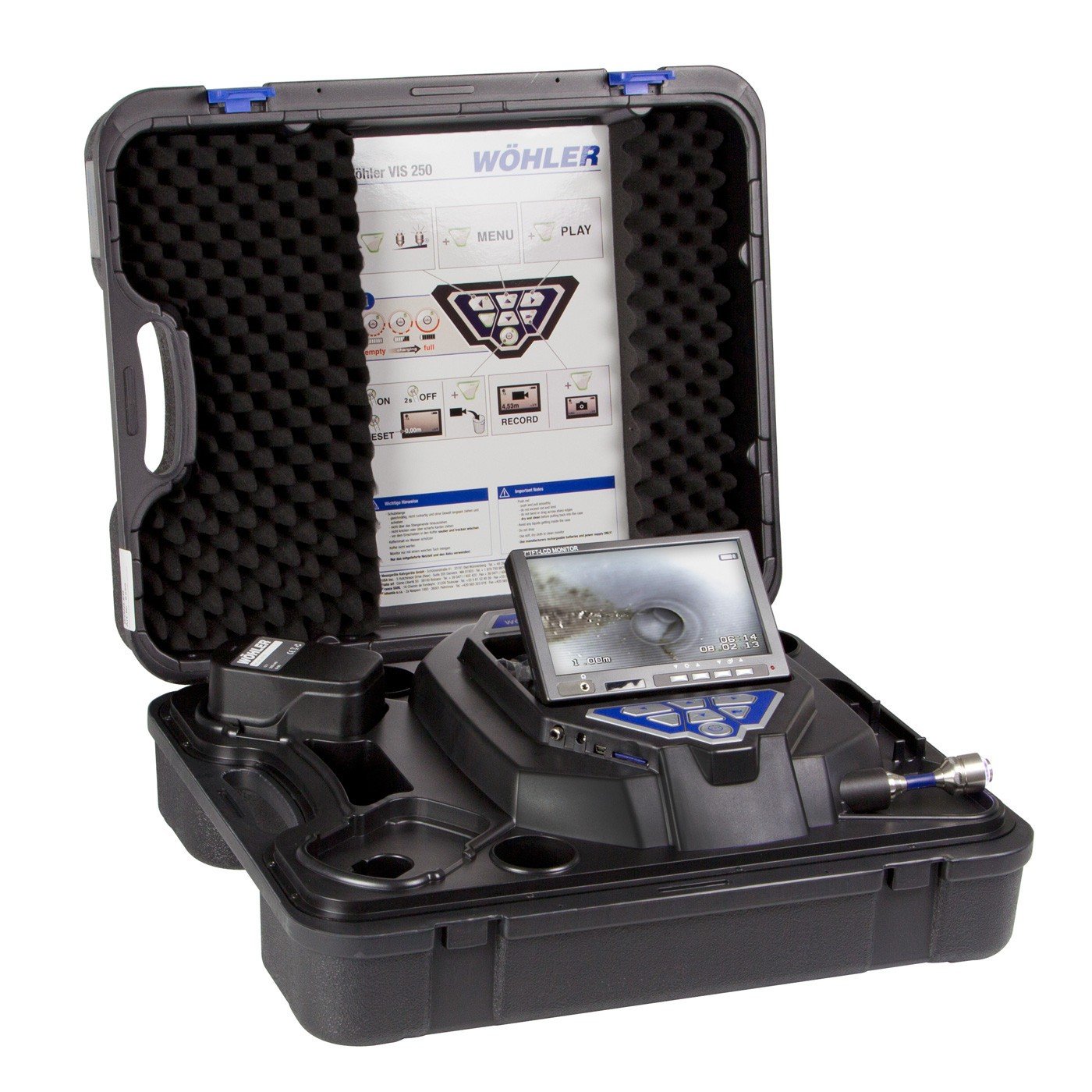
Planning for a purchase for an inspection camera, whether it’s a small business or a large business acquisition, involves a systematic process to ensure you make informed decisions and achieve your goals. No doubt you took time to make the wise decision to move forward with the Wohler VIS 250 Visual Inspection Camera.
Now that you have this versatile inspection camera in your possession and are realizing the benefits of having such a device to offer, let’s review some steps that you can take to protect your investment.
Tips to Extend the Life of Your Sewer Inspection Equipment
Plumbers, contractors, and people who work in maintenance need sewer inspection cameras in order to do their jobs. They help find cracks, blockages, and other issues deep inside lines without having to dig up expensive areas. But sewer inspection tools are an investment, just like any other tool. If you don’t take care of them properly, they can break down quickly, or when they’re needed the most. To protect your gear and get the most out of your purchase, here are some useful tips for making your sewer inspection gear last longer.
-
Handle with Care During Setup and Transport
Sewer cameras, especially high-end models like the Wohler 8932, feature sensitive components that must be handled with care. Always transport the equipment in its protective case, and avoid rough handling when loading or unloading it from vehicles. Even minor impacts can damage the lens, camera head, or internal electronics, leading to unnecessary repairs or replacements.
-
Clean After Every Use

After each inspection, make it a priority to clean the camera head, push rod, and any accessories used during the job. Sewer environments expose your equipment to moisture, grime, and corrosive substances that can build up over time. The parts should be cleaned with a soft cloth and a light cleaner. Avoid high-pressure water sprays, as they can force moisture into seals and sensitive areas. The Wohler screen or monitor can be clean with a Windex type clean and a soft towel. Cleaners with abrasive materials such as pumice or silica should not be used on the screen.
-
Inspect Cables and Connectors Regularly
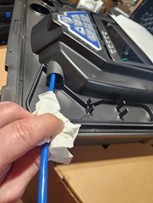
One of the most common points of failure in sewer cameras is the cable. Before and after every job, inspect the push rod for kinks, frays, or exposed wiring. Also, check connectors for signs of corrosion or loose fittings. Finding small problems early on can help keep images clear during reviews and stop bigger problems from happening later. For the Wohler VIS 250 system we recommend using a shop towel or clan rag to clean the probe while you are returning it back into the system.
-
Store in a Dry, Temperature-Controlled Environment
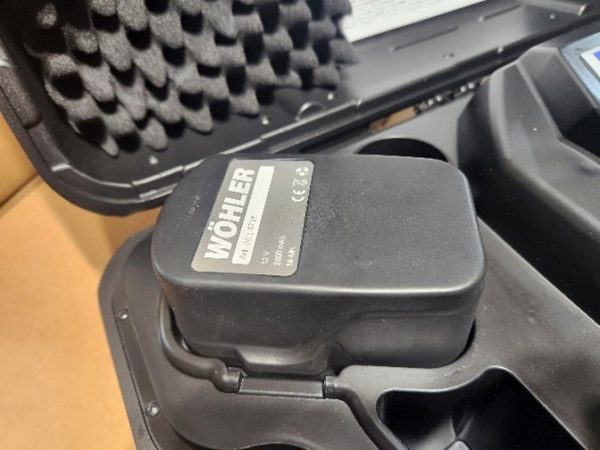
Extreme heat, freezing temperatures, or excessive humidity can damage internal components of your equipment. These extreme temperatures can also affect the life of the Wohler battery as well. Whether it’s a compact system or a more advanced model like the Wohler 8932, your sewer inspection camera should be stored in a dry, temperature-controlled environment when not in use. This helps protect the battery, LCD display, and other delicate parts from degradation and possible failure.
-
Update Software and Firmware
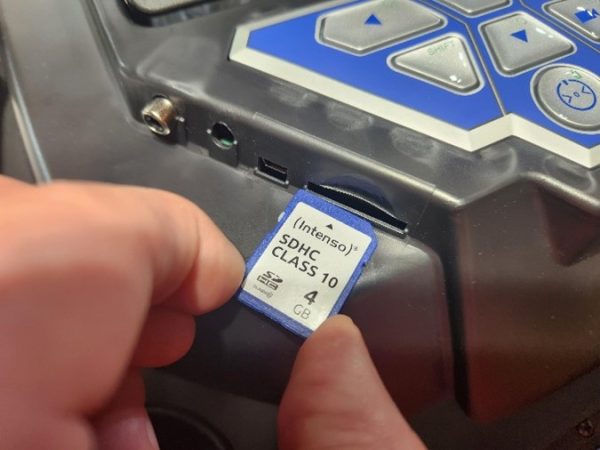
If your sewer inspection system includes digital features or wireless connectivity, keep the software or firmware updated. Updates can enhance system performance, improve image clarity, and fix bugs that may cause long-term operational issues. Refer to the manufacturer’s website or user manual for update instructions specific to your device. Another point to consider is to confirm that the SD card that is being inserted into the control station is clean and free of debris. Any contaminates that are introduced into the port can compromise the systems ability to record and store data.
-
Use the Right Tool for the Right Job
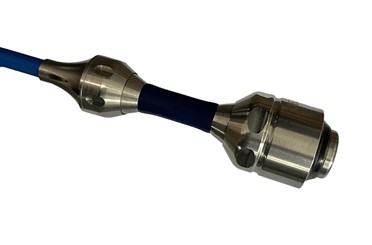
Not all sewer cameras are suited for every pipe or job type. For instance, if you’re working in narrow residential lines, a small-diameter push camera is ideal. Usually, the 1-inch diameter Wohler VIS 250 camera head is ideal for residential sewer lines. For industrial pipes or long-distance inspections, a robust system like the Wohler 8932 offers better durability and performance. Using a camera in environments it wasn’t designed for can shorten its lifespan dramatically.
-
Invest in Preventative Maintenance
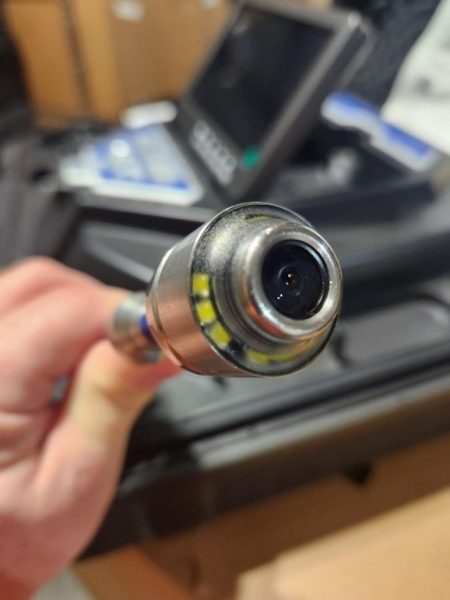
Schedule routine maintenance with a certified technician, especially if your camera system sees daily use. Preventive maintenance checks can reveal minor issues before they lead to complete system failures. Technicians can test calibration, assess cable wear, and clean internal components that aren’t accessible during day-to-day use. Keeping the VIS 250 sewer camera clean and free of debris will help prolong the life of the external lenses. If material is allowed to dry on the lenses it will take greater effort to clean the sewer camera head and increase the possibility of damage. Sewer Cameras or sometimes called plumbing camera are designed to be introduced into ambient temperature environments. As such, the lenses an adhesive that are used are designed for this as well. If you do find yourself with caked on debris on the camera head do not use boiling water or high pressure to remove this material as it can compromise the lenses and lead to internal camera head failure.
-
Train Staff on Proper Use
If you operate a team, make sure everyone using the sewer inspection equipment is fully trained. Improper operation, forced entry into pipes, or mishandling during retraction can all lead to serious wear and tear. Offer refresher training sessions and highlight best practices for setup, use, and storage.
Conclusion

Sewer inspection equipment is designed to be durable, but it still requires ongoing care and attention. Whether you’re using a basic camera setup or an advanced system like the Wohler 8932, following these maintenance and handling tips will help extend its life and maintain optimal performance. In the long run, proper care means fewer repairs, less downtime, and better results for every inspection job.